
In today's fast-paced world, the ability to play your favorite casino games on the go is essential. At JILIGAMES ACE, we've made it incredibly easy to enjoy the full casino experience from your smartphone or tablet — without any complicated app downloads or installations.
In this comprehensive guide, we'll show you exactly how to download and install JILIGAMES ACE on your mobile phone — and the best part is, you don't need to download anything at all. Our platform is fully optimized for mobile browsers, giving you instant access to 500+ games, bonuses, deposits, and withdrawals, all from the palm of your hand.
Do I Need to Download an App?
No. JILIGAMES ACE does not require any app download. Unlike traditional casinos that force you to install heavy apps that take up storage space, JILIGAMES ACE is a browser-based platform that works seamlessly on any mobile device.
This means:
- No storage space wasted on your phone.
- No need to worry about app updates — you always have the latest version.
- No compatibility issues — works on both Android and iOS.
- Instant access — just open your browser and play.
- Better security — you're not installing third-party software.
📱 Pro Tip: While there's no app to download, you can "Add to Home Screen" for app-like convenience. This creates an icon on your phone's home screen that opens JILIGAMES ACE directly in your browser — just like an app!
How to Access JILIGAMES ACE on Mobile — Step-by-Step
Follow these simple steps to start playing on your mobile device:
Open Your Mobile Browser
On your Android or iPhone, open any browser — Chrome, Safari, Firefox, or Opera all work perfectly.
Go to the JILIGAMES ACE Website
Type jiligames-ace.com into the address bar and press Enter. The mobile-optimized version of the site will load automatically.
Log In or Register
If you already have an account, tap Log In and enter your credentials. If you're new, tap Register and complete the quick sign-up process. See our registration guide for help.
Start Playing!
Browse the game lobby, choose any game, and start playing. The mobile interface is designed for touch controls, making it easy to navigate and play.
Add to Home Screen (Optional)
For even faster access, add the website to your home screen. This creates an icon that looks and feels like a native app. We'll show you how below.
How to Add JILIGAMES ACE to Your Home Screen
Adding the website to your home screen gives you app-like convenience without the download. Here's how:
On Android (Chrome)
- Open JILIGAMES ACE in Chrome.
- Tap the three-dot menu in the top-right corner.
- Select Add to Home Screen.
- Rename the shortcut if you like, then tap Add.
- The icon will appear on your home screen.
On iPhone (Safari)
- Open JILIGAMES ACE in Safari.
- Tap the Share button (square with an arrow) at the bottom.
- Scroll down and tap Add to Home Screen.
- Rename the shortcut if you like, then tap Add.
- The icon will appear on your home screen.
Mobile Performance and Optimization
JILIGAMES ACE is built with mobile-first design principles. Here's what you can expect in terms of performance:
- Fast Loading Times: Optimized code and lightweight graphics ensure pages load quickly even on 4G/5G connections.
- Smooth Gameplay: Games are optimized for touch controls and mobile screen sizes.
- Responsive Design: The layout automatically adjusts to any screen size — from small smartphones to large tablets.
- Low Data Usage: The mobile site is designed to minimize data consumption, so you can play without worrying about your data plan.
- Battery Friendly: Efficient coding means your phone's battery lasts longer during play sessions.
Mobile Data vs. Wi-Fi — What's Best?
Both mobile data and Wi-Fi work well with JILIGAMES ACE, but here are some considerations:
- Wi-Fi: Ideal for longer gaming sessions, live casino games, and video streaming. Provides the most stable connection.
- Mobile Data (4G/5G): Works perfectly for slots, table games, and quick sessions. 5G offers near-Wi-Fi speed and stability.
- Data Usage: Most games use minimal data (slots: ~5-10MB/hour; live casino: ~100-200MB/hour). Check your data plan if you play frequently.
- Recommendation: Use Wi-Fi when possible for the best experience, but mobile data is more than sufficient for most games.
Supported Mobile Browsers
JILIGAMES ACE is compatible with all major mobile browsers. For the best experience, we recommend:
- Android: Chrome (latest version), Firefox, Opera, Samsung Internet.
- iOS: Safari (latest version), Chrome, Firefox.
- Tablets: All browsers on iPad and Android tablets work seamlessly.
Make sure your browser is updated to the latest version for the best performance and security.
Mobile-Exclusive Bonuses and Promotions
JILIGAMES ACE occasionally offers mobile-exclusive promotions. Here's what you can expect:
- Mobile-Only Free Spins: Special free spin offers available only when you play on mobile.
- Daily Login Bonus: Available on mobile just like desktop. Learn more on our Daily Bonus page.
- Welcome Bonus: Claim your new member bonus on mobile. Check our bonus guide.
- Cashback Offers: Some cashback promotions are mobile-exclusive, rewarding players who play on their phones.
Always check the promotions section on your mobile device to see if there are any device-specific offers available.
📱 Did You Know? Over 70% of JILIGAMES ACE players access the platform via mobile devices. The mobile experience is just as complete as desktop — with all games, bonuses, and banking options available.
Comparing Mobile vs. Desktop Experience
Wondering if you're missing out by playing on mobile? Here's how the two compare:
- Game Library: Identical — all 500+ games are available on both desktop and mobile.
- Graphics Quality: Slightly scaled on mobile for performance, but still sharp and vibrant.
- User Interface: Touch-optimized on mobile; mouse/keyboard on desktop. Both are intuitive.
- Bonuses: All bonuses are available on both platforms, with occasional mobile exclusives.
- Banking: Deposits and withdrawals work identically on both platforms. Use GCash, Maya, or bank transfer.
- Live Casino: HD streaming works on mobile — just ensure a stable connection.
- Convenience: Mobile wins — you can play anywhere, anytime.
In short, you're not missing anything by playing on mobile. In fact, the convenience often makes it the preferred choice for many players.
Troubleshooting Common Mobile Issues
While JILIGAMES ACE is designed to work flawlessly on mobile, here are solutions to common issues:
Game Not Loading
Solution: Clear your browser cache, refresh the page, and try again. If the problem persists, try a different browser or restart your device.
Lag or Stuttering
Solution: Close other apps running in the background. Switch from mobile data to Wi-Fi or vice versa. Ensure your browser is updated.
Unable to Log In
Solution: Check your internet connection, clear browser cookies, and try again. If you've forgotten your password, use the "Forgot Password" feature or contact support via our Contact page.
Live Casino Video Buffering
Solution: Switch to a faster Wi-Fi connection or use 5G if available. Lower video quality settings if the option is available.
Slow Loading Times
Solution: Clear your browser cache and cookies. Ensure you have a stable internet connection. Try using a different browser.
Why Play JILIGAMES ACE on Mobile?
Here's why thousands of Filipino players choose JILIGAMES ACE for mobile gaming:
- PAGCOR Licensed: Play legally and securely on a regulated platform. See our PAGCOR Licensed page.
- No App Download: Save storage space and avoid compatibility issues.
- Complete Game Selection: All 500+ games available, including slots, live casino, and jackpots.
- Fast Banking: Deposit and withdraw via GCash, Maya, and bank transfer directly from your phone. Learn how to deposit and how to withdraw.
- 24/7 Support: Get help anytime via our Contact page.
- Mobile Exclusives: Special bonuses and promotions just for mobile players.
Frequently Asked Questions
Is there a JILIGAMES ACE app to download?
No, JILIGAMES ACE does not require any app download. The platform is fully optimized for mobile browsers, so you can simply visit the website on your phone's browser and start playing instantly. This saves storage space and ensures you always have the latest version.
Does mobile casino work on iPhone?
Yes, JILIGAMES ACE works perfectly on all iPhones and iPads. Simply open Safari or any other browser, visit the website, and you can play all games, deposit, withdraw, and claim bonuses just like on desktop.
Can I claim bonuses on mobile?
Absolutely! All bonuses — including the welcome bonus, daily login bonus, cashback, and referral rewards — are available on the mobile version of JILIGAMES ACE. You can claim and use them directly from your phone.
Play These Mobile-Optimized Games on Your Phone

Super Ace Mobile
Popular slot game optimized for mobile play.
Play Now
Mobile Baccarat
Live baccarat with full mobile support.
Play Now
Fishing Hunter
Shoot fish and win on your mobile device.
Play Now
Mobile Slots
Spin the reels with touch-optimized controls.
Play Now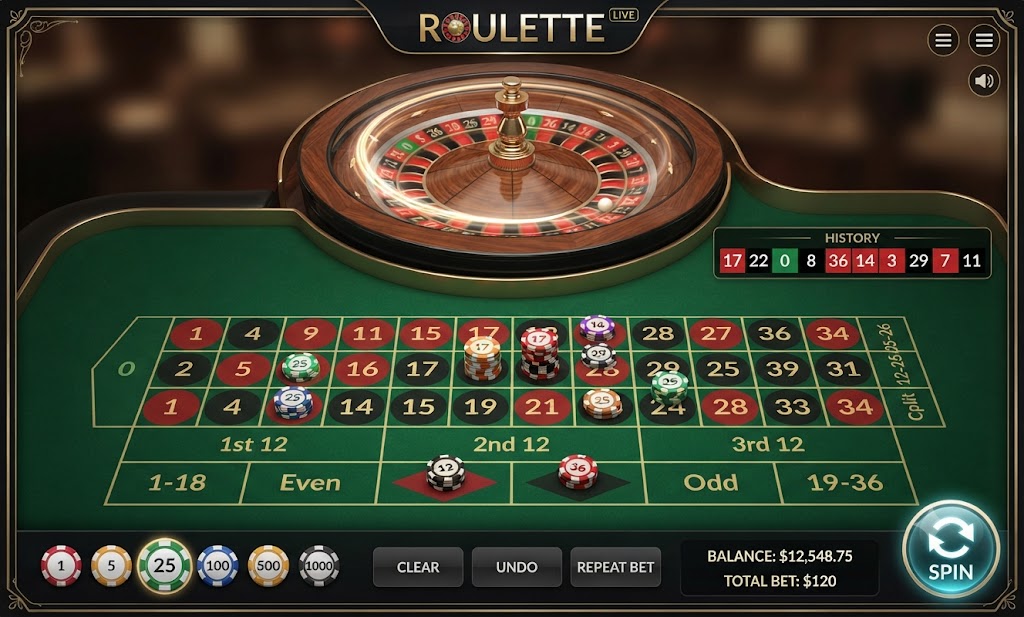
Mobile Roulette
Live roulette adapted for mobile screens.
Play Now